Key takeaways
- A connection is not WiFi: Starlink or 5G bring the internet onto the site – cables, switches and access points get it to the gate and the bars.
- You share mobile data with your guests: where thousands of phones compete, the cell gets crowded – test reception on site and at peak time.
- Two connections, two technologies: for example 5G plus Starlink with automatic failover – so both don't fail for the same reason.
- Gate and registers first: their own networks, bandwidth priority and power from a UPS – guest WiFi is optional.
- Have a plan B: spare kit, one person in charge and a fallback for when nothing works at the gate.
What does a festival need internet for?
Before you think about hardware, write down what has to be online on your site – and what happens when it isn't. That tells you where you need a network and how well you have to protect it.
| Area | What depends on it | Without internet | Priority |
|---|---|---|---|
| Entrance | Ticket scanners, guest list, wristband handout | Queues at the gate, no reliable ticket check | critical |
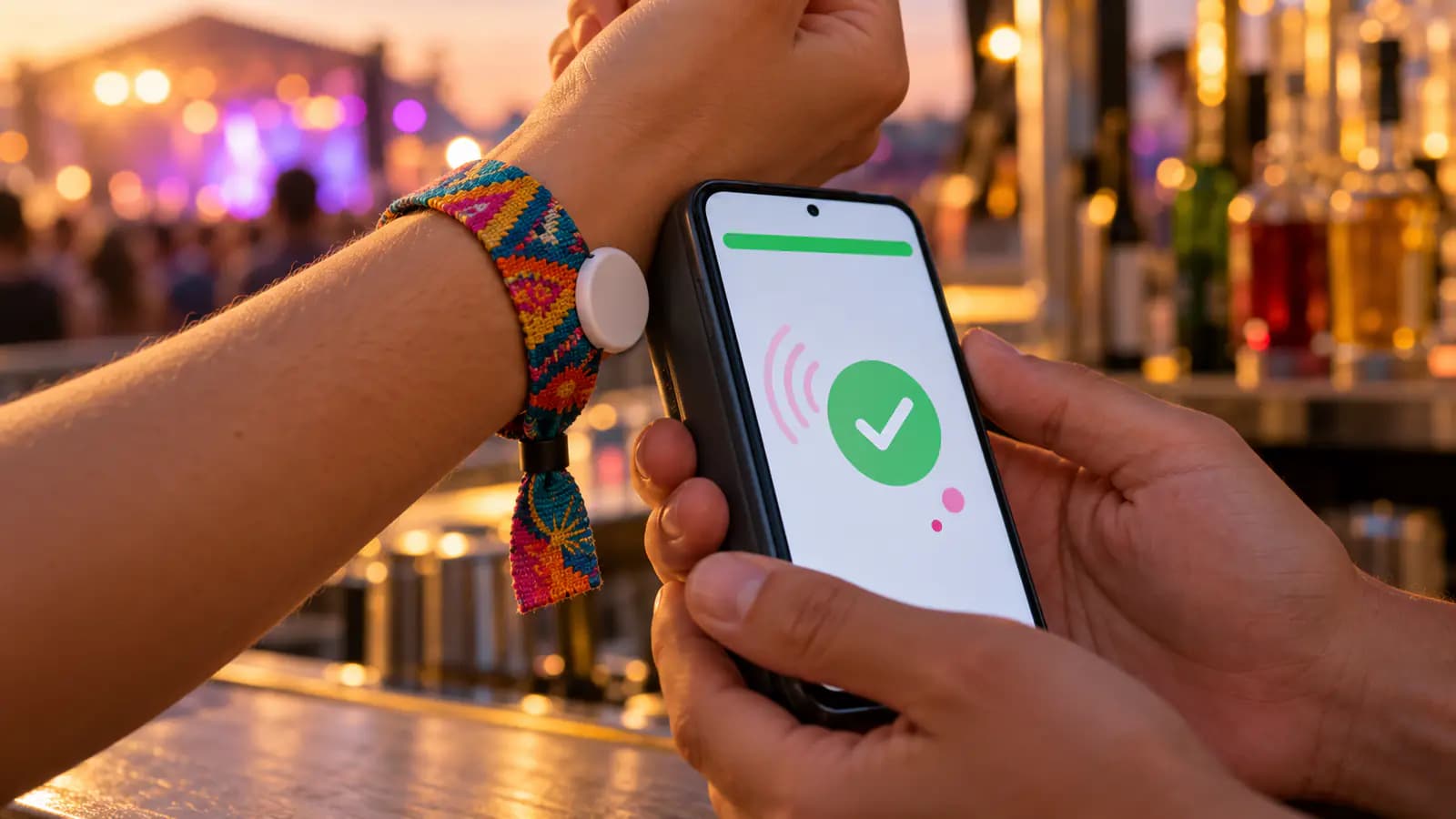
| Bars, food & merch | Registers, card terminals, cashless | No sales, or cash only | critical |
| Production & crew | Email, cloud documents, shift plan, artist liaison | Coordination stalls | important |
| Communication | Social media, livestream, press | Posts and streams drop out | depends on the event |
| Guests | Guest WiFi, festival app | Guests use their own mobile data | optional |
Ask what every system does without a connection. With Alpha Events, the ticket scanners check every scan online so no ticket gets in twice, and the register locks without a connection instead of losing payments. The visitor app shows the last loaded timetable and map when there's no signal. For your planning, that means: the gate and the registers need a reliable network – and a plan B.
"We need WiFi" usually means three different jobs. Separate them and you'll plan better – and know which supplier to ask for what:
- 1Internet connection: a fixed line, a 4G/5G router, Starlink or a point-to-point link brings the internet onto the site.
- 2Router & firewall: combines the connections, fails over when one drops and separates the networks for entrance, registers, crew and guests.
- 3Distribution: network cable, fibre or point-to-point links run to the gate, the bars and the office.
- 4Access: switches and outdoor access points turn that into WiFi – or devices plug straight into a cable.
The most common mistake: a strong connection is not yet a network across the site. According to its spec sheet, the router in the Starlink Standard kit covers up to 297 m² and is designed for indoor use (Starlink spec sheet). That's enough for a tent – not for a field with an entrance, four bars and a backstage area.
Starlink, 4G/5G or point-to-point: which connection fits?
There's no one-size-fits-all answer. Which connection holds up depends on the location, the local mobile network and your devices:
| Connection | Requirement | Strengths | Limits |
|---|---|---|---|
| Fixed line / fibre | A connection in a building on or near the site | Stable, high capacity, independent of your guests | Only where it exists; a new line takes lead time |
| 4G/5G router | Good reception, router with an external antenna | Quick to set up, portable, available everywhere | You share the cell with your guests |
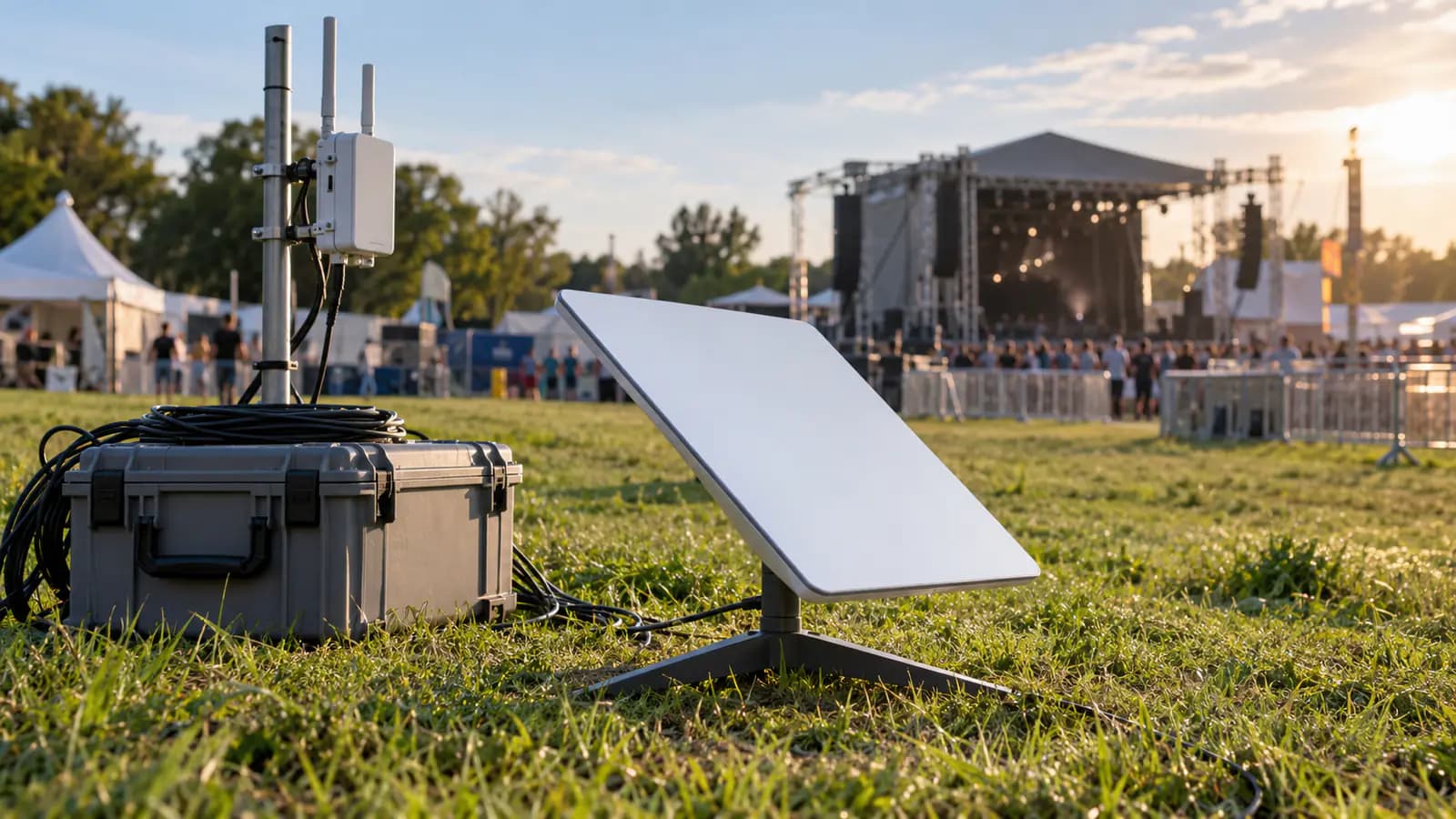
| Starlink (satellite) | Clear view of the sky, power | Independent of mobile networks, works on remote sites | Trees and structures interfere, speed not guaranteed |
| Point-to-point link | Line of sight to a building with a connection | Carries a fixed line hundreds of metres onto the site | Planning, masts, mounting – usually a supplier's job |
Fixed lines and fibre are the first choice where they exist: a clubhouse, a farm, a hall or a neighbour with fibre. Ask early whether you can share the connection – and measure what it really delivers.
4G and 5G are the fastest way online on most sites. The catch: your router uses the same cells as your guests' phones. Network operators show how big the rush can be: on Deutsche Telekom's network alone, Wacken Open Air 2025 moved almost 192,000 gigabytes and Rock am Ring more than 141,000 gigabytes (Telekom, September 2025). For 2025, Telekom planned around 200 temporary mobile sites, deployed at around 50 festivals – planning "often starts months in advance" (Telekom, May 2025). Whether your event gets extra capacity like that is something to ask the operators directly – at smaller events, don't count on it. Mount the router with an external antenna as high as possible, use SIM cards from two operators and test reception beforehand. In Germany, the Bundesnetzagentur's mobile coverage map gives you a first impression: it shows 2G, 4G and 5G coverage per operator, calculated for outdoor reception (Gigabit-Grundbuch). What the cell can handle with a full site, the map doesn't show.
Starlink is SpaceX's satellite internet and often the fastest option on remote sites. The dish needs a clear view of the sky (110° field of view), is rated IP67 and draws 75–100 W on average for the Standard kit and 25–40 W for the Mini (Standard spec sheet, Mini spec sheet). Trees, stage roofs and tent canvas can interrupt the connection. Starlink itself states that speeds drop when the network is congested (Starlink). For businesses there are plans with priority data: according to Starlink, they get network priority, a publicly routable IPv4 address and a service level agreement (Starlink Business).
Point-to-point links connect two spots by radio – for example the fibre in the clubhouse with the tech container in the field, or the main router with a bar far away. Both ends need line of sight, with antennas on masts or roofs. Besides the 5 GHz band (more on that in the next section), there are licence-free 60 GHz links for short distances: in Germany, fixed outdoor installations in the 57–71 GHz range are allowed at up to 55 dBm EIRP (BNetzA, Vfg. 91/2025). For longer distances, bring in an event IT supplier.
Setting up WiFi on a festival site
Once the connection is sorted, it's about the area. Start with the site plan: where are the entrance, bars, registers, info desk, production office and backstage – and how far are they from the connection? Then decide which zone is connected by cable, by point-to-point link or by WiFi.
- Cable before radio: whatever can be cabled, gets cabled. Copper network cable runs up to 100 m; for longer distances use fibre or a point-to-point link.
- Power over the network cable: access points with PoE (Power over Ethernet) get power and data through one cable – a PoE switch on a UPS powers several at once.
- Mount high: put outdoor access points on truss, masts or container roofs, with a clear view of the zone and a suitable ingress rating against rain.
- People absorb radio: an access point that covers the empty bar can struggle in front of a packed counter – mount it above the crowd, not behind it.
- Mesh only as a stopgap: every wireless hop between access points costs capacity. Give the gate and the registers cable or a point-to-point link.
- Plan power from the start: every network location needs power – including when the fridge next door kicks in.
Outdoor kit at 5 GHz comes with its own rules. Under the Bundesnetzagentur's general authorisation, 5250–5350 MHz is allowed inside buildings only, and 5150–5250 MHz outdoors only if the equipment isn't attached to fixed infrastructure. For access points and links on masts, that leaves 5470–5725 MHz – at up to 1 W transmit power (EIRP), with mandatory radar detection (DFS) and power control (TPC) (BNetzA, Vfg. 136/2022). So set outdoor devices to the country they're used in. And expect DFS: before an access point transmits on one of these channels, it listens for radar for 60 seconds – 10 minutes in the 5600–5650 MHz range – and if it detects radar, it has to leave the channel (ETSI EN 301 893). Switch outdoor access points on early, not just before doors open.
Splitting and securing the network: gate, registers, crew and guests
Guest WiFi, registers, entrance and office don't belong in one shared, open network. Separate them, and a guest uploading video won't slow down a register, and unknown devices can't see your scanners. In its IT baseline protection, Germany's Federal Office for Information Security (BSI) requires dedicated network segments for guest access and recommends putting systems with different protection needs into separate segments (BSI, NET.1.1).
| Network | Who's on it | Rule |
|---|---|---|
| Entrance | Scanner phones, wristband handout | Bandwidth priority, password for the team only |
| Registers & payment | Register phones, card terminals | Priority, strictly separate from guest WiFi |
| Crew & production | Laptops, printers, cameras | Own password, new for every event |
| Guests | Visitors' phones | Devices isolated from each other, bandwidth capped |
Technically, you do this with separate WiFi names (SSIDs) and VLANs on the router and switches; priority is handled with QoS. Passwords for the gate and the registers don't go on signs or into guest info – share them with the team only. Card terminals never belong on the guest WiFi: the card industry standard PCI DSS strongly recommends separating payment systems from the rest of the network (PCI SSC).
How much internet does a festival need? An example with 1,000 guests
Here's how it fits together in an example – for illustration, not as a general sizing rule. Assume an open air in a field, 1,000 guests, two entrances, four bars, an info desk, backstage and a production office in a container, and no public guest WiFi. Here's how the devices connect – from the internet connection down to the phone at the register:
5G router
external antenna, mounted high
Starlink
clear view of the sky
- Cable
Router & firewall
two connections, automatic failover, separate networks · on the UPS
- Cable
PoE switch
power and data for the access points · on the UPS
Entrance (2 gates)
- Cable
2 outdoor access points
one per gate, mounted high
- WiFi
4 scanner phones
"Entrance" network, own SIM as backup
Bars (4)
- Cable
Point-to-point link
2 antennas with line of sight – only for distant bars
- Cable
4 outdoor access points
one per bar
- WiFi
8 register phones + card terminals
"Registers" network, own SIM as backup
Info desk
- Cable
Access point
- WiFi
Register for top-ups & payouts
"Registers" network
Production & backstage
- Cable
Switch in the container
- Cable or WiFi
6 laptops, printer
"Crew" network
And the bandwidth? Less than many people think – but more stability than many plan for. A ticket scan or a register sale only sends a little data; what matters is that every request gets through quickly, even at peak time. The big data users are guest WiFi, livestreams, video uploads for the social media team, cloud sync on crew laptops and cameras. Watch the upload in particular: streams and uploads need it, and on mobile and satellite connections it's usually much smaller than the download.
So measure on site, not in the office: a speed test with download, upload and ping, several times a day and ideally when there are already people on site – during the build or at another event. Give the gate and the registers priority via QoS so an upload from the office can't slow them down.
Setting up festival internet step by step
- 1List your needs: which devices have to be online where – entrance, registers, office, guests? What happens without a connection?
- 2Survey the site: measure mobile reception with SIM cards from different networks, look for a clear sky view for Starlink, find nearby fixed lines.
- 3Choose connection and backup: two connections using different technologies and a router that fails over automatically.
- 4Plan the network: mark router, switches and access points on the site plan, decide cable routes and point-to-point links.
- 5Secure the power: power at every network location, router and switches on a UPS, cables laid where they're protected.
- 6Configure: separate networks for entrance, registers, crew and guests, priority for the gate and the registers, passwords for the team.
- 7Test under load: scanners, registers, card terminals and failover to the second line – on build day, not when the doors open.
- 8Run it: one person in charge, spare kit on site, the network monitored throughout the event.
Start as soon as the site and the build plan are fixed: suppliers, rental kit and any frequency applications need lead time. Network planning belongs on the same checklist as power, water and safety – our event safety plan article shows what else comes together there.
How much does festival internet cost?
There are hardly any flat prices – costs depend on the site, the distances and how much resilience you need. These items add up:
| Cost block | What's included | Buy or rent? |
|---|---|---|
| Internet connection | Mobile and Starlink plans, possibly sharing a fixed line | Monthly plan; buy or rent the hardware |
| Router & firewall | Router with several connections, a spare | Buying pays off for annual events |
| Distribution | Cable, fibre, point-to-point links, switches, outdoor access points | Rent for large sites |
| Power & rigging | UPS, masts, cable ramps, mounting material | Rent plus labour |
| Staff | Planning, build, support during the event, take-down | Your own team or a supplier |
As a guide for the connection: in Germany, Starlink lists business plans "from €37/month" plus €349 for the hardware, and its Roam plans from €45 a month; Roam plans can be paused for a small monthly fee (as of October 2026, Starlink Business, Starlink Roam). Check the plan terms for your use. Event IT suppliers offer complete packages with hardware, setup and support – get several quotes and ask how resilience and on-site support are handled.
Put these costs into the budget from day one, not into the contingency. How to plan items like this properly is covered in Event Budget Planning.
What if the internet goes down?
Sooner or later something fails – the question is whether anyone notices. Walk through these cases in advance:
| Failure | Effect | What helps |
|---|---|---|
| Starlink loses its connection | Connection gone | Router fails over to 5G automatically |
| Mobile network overloaded at peak time | Slow or dropping connections | Satellite or fixed line as a second connection, priority for gate and registers |
| Access point at a bar loses power | That bar's registers lose WiFi | Phones with their own SIM fall back to mobile data; a spare access point ready |
| Power cut in the tech container | Router and switches off | A UPS bridges short outages; a separate circuit for the network |
| Damaged cable | A zone is cut off | Cable ramps, overhead runs, spare cable and tools on site |
Plan two connections using different technologies – 5G and Starlink, or a fixed line and 5G. Two SIM cards on the same overloaded network won't help much. Give scanner and register phones their own SIM card, ideally from a different network than the router – and test beforehand that they really switch to mobile data when the WiFi drops. How to prepare for storms that hit your tech too is covered in Festival Weather Planning.
Checklist before doors open:
- Both connections online, failover tested (briefly unplug the main line).
- Every scanner has done a test scan, every register a test sale.
- Speed test at the gate, the bars and the office – download, upload and ping noted.
- UPS charged, network circuits labelled.
- Spare router, cables, power banks and SIM cards in a known place.
- One person in charge of the network, reachable by radio.
- Guest lists exported as CSV and printed – as a plan B for the gate.
How to organise the entrance and guest lists as a whole is explained in our guide Guest Lists & Entry Management.
Put it into practice with Alpha Events
The matching tools – in one platform, free to try.